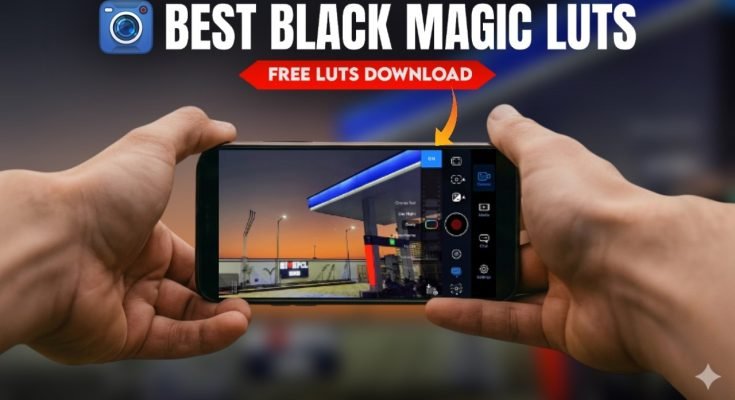
Shooting cinematic footage no longer requires a bulky camera rig or a five-figure budget. The phone in your pocket already has the hardware to capture gorgeous, professional-looking video; what it’s usually missing is software that unlocks that potential. That’s where dedicated camera apps come in.
Below, we break down six of the strongest options on the market right now, what makes each one worth downloading, and who they’re best suited for.
1. FiLMiC Pro: The App Most Pros Still Reach For
If you ask a working mobile filmmaker which app they trust most, there’s a good chance FiLMiC Pro comes up first. It’s earned that reputation by giving users the kind of granular control you’d expect from a dedicated cinema camera, not a phone.
With FiLMiC Pro, you get hands-on manual control over focus, exposure, ISO, shutter speed, and white balance. Nothing is left to guesswork; you decide exactly how a scene should look, shot by shot.
What really separates it from lighter camera apps is its support for high bit-rate recording and log gamma profiles. In plain terms, that means your footage retains far more detail in the shadows and highlights, giving you real room to work with color grading later instead of fighting with flat, compressed video.
The app also handles multiple frame rates, resolutions, and aspect ratios, so it flexes easily between a 15-second social clip and a proper short film.
Standout tools include:
- Focus peaking to confirm exactly what’s in sharp focus
- Zebra stripes that flag overexposed areas before you ruin a shot
- Live exposure and histogram analytics
FiLMiC Pro suits narrative shorts, documentary work, and music videos equally well anywhere precision matters more than speed.
2. ProCam: Professional Controls Without the Learning Curve
Not everyone wants to spend a weekend learning an app before they can use it. ProCam solves that problem by pairing serious manual controls with an interface that doesn’t punish beginners.
You still get full command over focus, exposure, shutter speed, ISO, and white balance the same core toolkit that defines cinema-style shooting. But ProCam layers this on top of a design that’s genuinely easy to navigate, which makes it a smart entry point for anyone transitioning from auto mode to full manual.
It also shoots in RAW and HEIF, both of which preserve significantly more image data than standard JPEG capture. That extra data becomes valuable the moment you start color correcting or fixing exposure mistakes in post.
Beyond the basics, ProCam packs in:
| Feature | Why It Matters |
| 4K recording | Sharper footage, more room to crop or reframe later |
| Slow motion | Adds dramatic weight to key moments |
| Time-lapse | Useful for establishing shots and passage-of-time sequences |
| Built-in stabilization | Reduces handheld shake without a gimbal |
For creators who want cinematic results without a steep learning curve, ProCam hits a comfortable middle ground.
3. Moment Pro Camera: Built for Lens Attachments
If you’ve invested in Moment’s clip-on lenses, this is the app that gets the most out of them. Moment Pro Camera is engineered specifically to pair with the company’s lens lineup, and that tight integration shows in the final image quality.
The manual controls here focus, shutter speed, ISO, white balance, and exposure all adjust in real time, which matters when you’re working with an external lens and need to react quickly to changing light. It also supports RAW and LOG formats, giving you the flexibility to push colors and contrast further in editing without introducing banding or noise.
Switching between lenses mid-shoot is straightforward, and the interface doesn’t assume prior filmmaking experience. If you already own Moment glass, this app is close to a mandatory companion it’s built around getting the most out of that hardware specifically.
4. MoviePro: An All-Rounder for Shooting on the Move
MoviePro earns its place on this list by covering nearly every base a mobile creator needs, from quick vlogs to more ambitious documentary projects.
Core adjustments focus, exposure, white balance, frame rate are all easy to reach without digging through nested menus. It supports 4K recording along with a range of aspect ratios and codecs, so footage can be tailored to wherever it’s headed next, whether that’s a YouTube upload or a client deliverable.
Built-in stabilization keeps handheld shots from looking shaky, which is especially useful if you’re shooting solo without a rig.
Where MoviePro really pulls ahead of some competitors is audio. It gives you:
- Real-time sound level monitoring
- Manual audio adjustment on the fly
- Reliable integration with external microphones
Good visuals only carry a video so far; muddy or clipped audio ruins the experience fast. MoviePro treats sound as a first-class feature rather than an afterthought, which is exactly how it should be treated.
5. MAVIS: Deep Tools for Serious Mobile Filmmakers
MAVIS is aimed squarely at creators who want a genuine production toolkit, not a simplified camera app with a few extra sliders. Alongside manual focus and exposure, MAVIS includes real-time waveform monitoring, a vectorscope, and focus peaking tools typically found on dedicated cinema cameras. These let you check exposure, color accuracy, and sharpness with real precision instead of eyeballing it on a small screen.
Audio gets similar treatment, with support for external microphones and live sound metering built directly into the shooting interface. The result is an app that turns a smartphone into something closer to a compact cinema rig. It’s not the simplest option here, but for creators who already understand waveforms and vectorscopes, that depth is exactly the point.
6. Adobe Premiere Rush: Shoot and Edit in One App
Every app so far has focused on capture. Premiere Rush takes a different approach by combining shooting and editing in a single workflow.
You can record video directly in the app using manual controls for focus, exposure, and white balance, then move straight into editing without exporting to a separate program. The editing suite includes multi-track timelines, transitions, color correction, and audio tools enough to finish a polished video without ever leaving the app.
Because Rush syncs with Adobe Creative Cloud, you can also hand a project off to Premiere Pro on desktop if a shoot grows into something that needs heavier post-production work. For solo creators juggling vlogs, short-form content, or quick turnaround projects, this shoot-and-edit combo cuts out a lot of friction. Instead of bouncing between a camera app and an editor, everything lives in one place.