
Meta Title: Google Gemini Viral Lawn Prompt Guide (2026)
Meta Description: Learn about Google Gemini, its key AI features, and how to write detailed lawn and portrait prompts for creating realistic AI-generated images.
Google Gemini has become one of the most popular AI assistants for creating text, images, coding projects, and creative ideas. As more people experiment with AI-generated artwork, detailed image prompts have become a major trend across social media.
One style that continues to attract attention is the cinematic outdoor portrait. By combining realistic lighting, natural backgrounds, and carefully described subjects, users can create professional-looking images with a single prompt.
In this guide, you’ll learn what Google Gemini is, why detailed prompts matter, and how to write better prompts for realistic AI image generation.
What Is Google Gemini?
Google Gemini is Google’s family of AI models designed to help users with a wide range of tasks, including writing, programming, brainstorming, image creation, research, and productivity.
Depending on the version you’re using, Gemini can understand text, images, and other forms of information, making it useful for both everyday users and professionals.
Some common uses include:
- Writing articles and emails
- Brainstorming creative ideas
- Solving coding problems
- Summarizing documents
- Creating image prompts
- Learning new topics
Its ability to understand detailed instructions makes it especially popular among digital artists and content creators.
Why Detailed Image Prompts Produce Better Results
The quality of an AI-generated image depends largely on the prompt you provide.
Instead of writing a short instruction like:
“A man sitting outside”
A detailed prompt gives the AI much more information, including:
- Subject appearance
- Clothing
- Pose
- Camera angle
- Background
- Lighting
- Mood
- Photography style
The more clearly you describe the scene, the more consistent the generated image is likely to be.
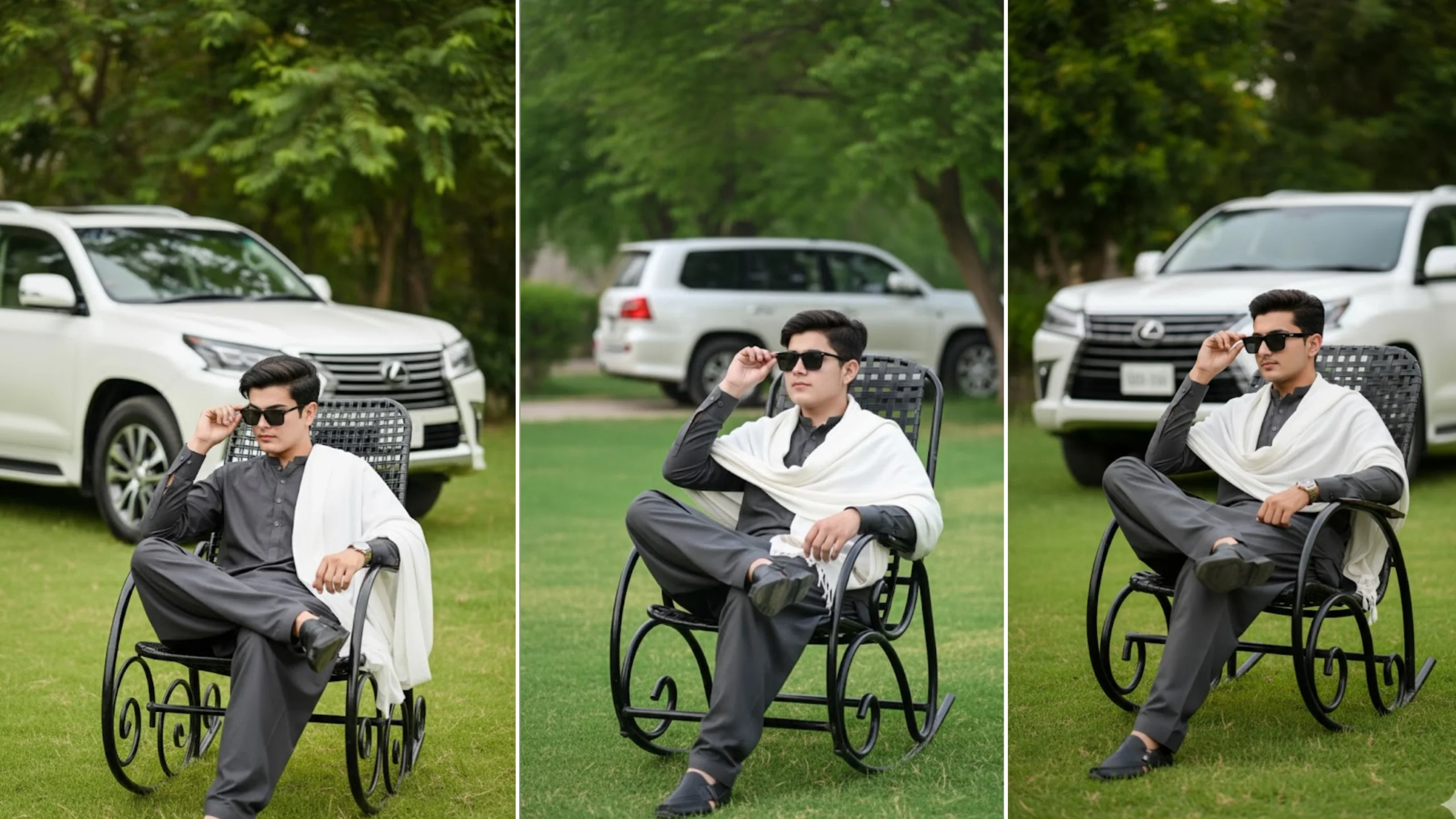
Example of a Lawn Portrait Prompt
If you’re creating a realistic outdoor portrait, you can include details like these:
- Young man sitting on a black metal rocking chair
- Green grassy lawn surrounded by trees
- Dark gray traditional outfit with a white shawl
- Black sunglasses
- Relaxed sitting pose
- Soft natural daylight
- Shallow depth of field
- DSLR photography style
- Realistic facial details
- High-resolution quality
Combining these elements creates a more polished and professional-looking image.
Elements of a High-Quality Prompt
Most successful image prompts contain several important components.
Subject
Describe the main person or object clearly.
For example:
- Age
- Clothing
- Hairstyle
- Accessories
- Facial expression
- Pose
Environment
Explain where the subject is located.
Examples include:
- Garden
- Lawn
- Park
- Mountain
- City street
- Beach
- Studio
Environmental details help establish the overall atmosphere.
Lighting
Lighting dramatically affects the final image.
Popular options include:
- Soft daylight
- Golden hour
- Sunset
- Overcast lighting
- Cinematic lighting
- Studio lighting
- Night with bokeh lights
Camera Style
Adding photography terms can improve realism.
Examples include:
- DSLR photography
- Ultra-realistic
- High detail
- Portrait lens
- 85mm photography
- Shallow depth of field
- Natural colors
Background
Instead of leaving the background empty, describe it.
Examples:
- Green trees
- Modern house
- Luxury SUV
- Garden flowers
- Hills
- City skyline
- Blurred background
Small background details often make the image feel much more realistic.
Tips for Writing Better Google Gemini Prompts
Creating effective prompts becomes easier with practice.
Keep these tips in mind:
- Be specific instead of vague.
- Describe the subject before the background.
- Mention lighting conditions.
- Include camera style.
- Explain the desired mood.
- Avoid unnecessary repetition.
- Keep instructions clear and organized.
Well-structured prompts usually produce more consistent results than short, generic descriptions.
Popular AI Image Styles
Many creators experiment with different artistic styles.
Some of the most popular include:
- Cinematic portraits
- Hyper-realistic photography
- Anime-inspired artwork
- Fantasy landscapes
- Luxury lifestyle scenes
- Street photography
- Fashion editorials
- Nature portraits
Changing only the style while keeping the same subject can produce completely different results.
Common Prompt Mistakes
If your generated images don’t match your expectations, one of these issues may be the reason.
Too Little Detail
Very short prompts often leave too much to AI interpretation.
Conflicting Instructions
Avoid asking for opposite effects, such as bright daylight and nighttime in the same scene.
Repeating the Same Keywords
Repeating words unnecessarily usually doesn’t improve image quality.
Missing Camera Information
Photography-related details often help create more realistic results.
Frequently Asked Questions
Is Google Gemini free to use?
Google offers free access to certain Gemini features, while some advanced capabilities may require a paid subscription depending on your region and account.
Can Gemini generate realistic images?
Gemini can assist with image generation workflows and prompt creation where supported, producing highly detailed results when given clear instructions.
Do longer prompts always work better?
Not necessarily. Clear and well-organized prompts usually perform better than very long prompts filled with repeated information.
What makes a prompt look more realistic?
Adding details about lighting, composition, camera settings, clothing, facial expression, and background generally improves realism.
Can beginners use Google Gemini?
Yes. Gemini is designed to be easy to use, and even simple prompts can produce useful results. As you gain experience, you can write more detailed prompts for greater control over the final output.
Final Thoughts
Google Gemini has become a valuable tool for writers, designers, developers, and AI art enthusiasts. One of the biggest factors behind successful AI-generated images is prompt quality. Clear descriptions, realistic lighting, thoughtful composition, and organized instructions help produce images that look polished and natural.
Whether you’re creating portraits, landscapes, or creative artwork, learning how to write detailed prompts will help you get more consistent and impressive results from AI image generation.
