
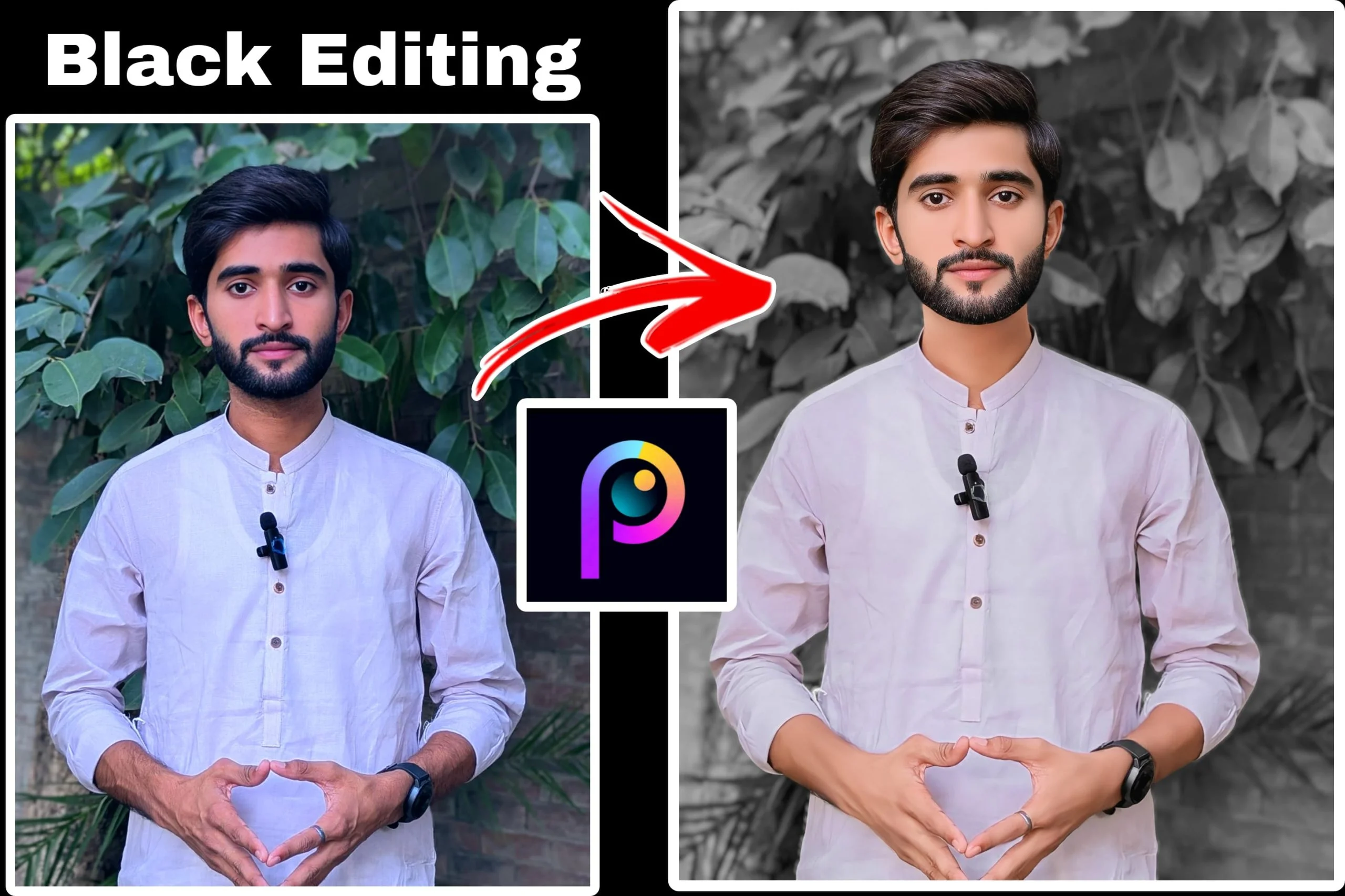
The Black Editing Trend 2026 has become one of the most popular photo editing styles on TikTok, Instagram, Facebook, and other social media platforms. Known for its dark tones, high contrast, and cinematic mood, this editing style helps ordinary photos stand out with a bold and professional appearance.
You don’t need expensive software or advanced editing skills to achieve this look. With the right mobile photo editor and a few simple adjustments, you can create eye-catching images in just a few minutes.
This guide explains what the Black Editing Trend is, how to create it, and which editing tools can help you get the best results.
What Is the Black Editing Trend?
The Black Editing Trend focuses on giving photos a dramatic and stylish appearance by using darker colors, enhanced contrast, and carefully adjusted lighting.
Instead of bright and colorful edits, this style emphasizes:
- Deep black shadows
- Rich contrast
- Muted backgrounds
- Sharp details
- Cool or neutral color tones
- Cinematic lighting
The result is a clean, modern image that works especially well for portraits, street photography, fashion photos, and automotive content.
Why Is This Editing Style So Popular?
Dark-themed edits naturally attract attention while users scroll through social media feeds.
Many creators prefer this style because it:
- Creates a premium look
- Makes subjects stand out clearly
- Works with almost every type of portrait
- Gives photos a cinematic feel
- Looks professional without being overly edited
Its versatility has made it a favorite among photographers, influencers, and content creators.
Best Photo Editing Apps for Black Editing
Several mobile editing apps can help you recreate this trend.
PicsKit
PicsKit offers a wide range of editing features, including:
- Layer editing
- AI background removal
- Professional filters
- Blend modes
- Light effects
- Text and sticker tools
Its layer support gives users greater creative control than many standard mobile editors.
Lightroom
Adobe Lightroom provides professional color grading and lighting controls.
It’s particularly useful for:
- Exposure adjustments
- Contrast control
- Tone curves
- Color grading
- RAW photo editing
Many creators also use Lightroom presets to speed up the editing process.
Snapseed
Snapseed remains one of the best free editing apps.
Its powerful tools include:
- Selective adjustments
- Healing tool
- Curves
- HDR effects
- Fine detail enhancement
It’s suitable for beginners and experienced editors alike.
How to Create the Black Editing Trend
You don’t need complicated settings to achieve a stylish dark look.
Step 1: Lower the Exposure Slightly
Reducing exposure creates a darker overall appearance while preserving important details.
Avoid making the image so dark that facial features disappear.
Step 2: Increase Contrast
Higher contrast separates the subject from the background and adds depth.
This is one of the defining characteristics of the Black Editing Trend.
Step 3: Deepen the Shadows
Increasing shadows creates richer black tones without affecting the brightest parts of the image.
Use this adjustment carefully to maintain detail.
Step 4: Reduce Saturation
Many creators slightly lower overall saturation to produce a cleaner and more cinematic color palette.
Natural skin tones should still look realistic.
Step 5: Add Sharpness
A small increase in sharpness helps bring out textures in clothing, hair, and facial details.
Too much sharpening can introduce unwanted noise.
Popular Effects Used in Black Editing
Many editors combine several effects to enhance the final image.
Common choices include:
- Vignette
- Film grain
- Soft glow
- Light leaks
- Fade effect
- Matte blacks
- Cool color grading
These subtle enhancements help create a polished and artistic appearance.
Tips for Better Results
A good edit begins with a good photo.
For the best outcome:
- Use high-resolution images.
- Shoot in natural lighting whenever possible.
- Keep backgrounds simple.
- Avoid over-editing skin.
- Make small adjustments instead of dramatic changes.
Minor refinements often produce more natural-looking results than aggressive edits.
Is PicsKit Good for Black Editing?
Yes.
PicsKit includes many of the tools needed to create this editing style, including:
- Layer-based editing
- AI cutout tools
- Blending modes
- Professional filters
- Light effects
- High-resolution exports
Its simple interface also makes it accessible for beginners who want to experiment with creative edits.
Common Mistakes to Avoid
Many beginners make the same editing mistakes.
Try to avoid:
- Making the photo too dark
- Oversharpening the image
- Losing skin detail
- Applying excessive filters
- Increasing contrast too much
A balanced edit usually looks more professional than one with extreme adjustments.
Where This Editing Style Works Best
The Black Editing Trend is suitable for many types of photography, including:
- Portrait photography
- Fashion shoots
- Car photography
- Street photography
- Travel photos
- Fitness content
- Social media profile pictures
Its versatility is one reason it continues to trend across multiple platforms.
Frequently Asked Questions
Is the Black Editing Trend difficult to create?
No. Most mobile editing apps provide the necessary tools, and beginners can learn the basics quickly.
Which app is best for beginners?
Snapseed and PicsKit are both beginner-friendly while still offering advanced editing features.
Can I create this style without presets?
Yes. Although presets save time, you can achieve a similar look by manually adjusting exposure, contrast, shadows, and colors.
Does this editing style work on selfies?
Yes. The Black Editing Trend is commonly used for selfies, portraits, and lifestyle photography.
Is PicsKit free?
PicsKit offers many free editing tools, while some premium features require a paid subscription.
Final Thoughts
The Black Editing Trend 2026 continues to be one of the most recognizable editing styles on social media. Its dramatic lighting, deep shadows, and cinematic colors help photos stand out without looking unnatural.
Whether you choose PicsKit, Lightroom, Snapseed, or another editing app, the key is to focus on balance rather than extreme effects. With practice and thoughtful adjustments, you can create stylish, high-quality images that capture attention and match today’s popular editing trends.
