
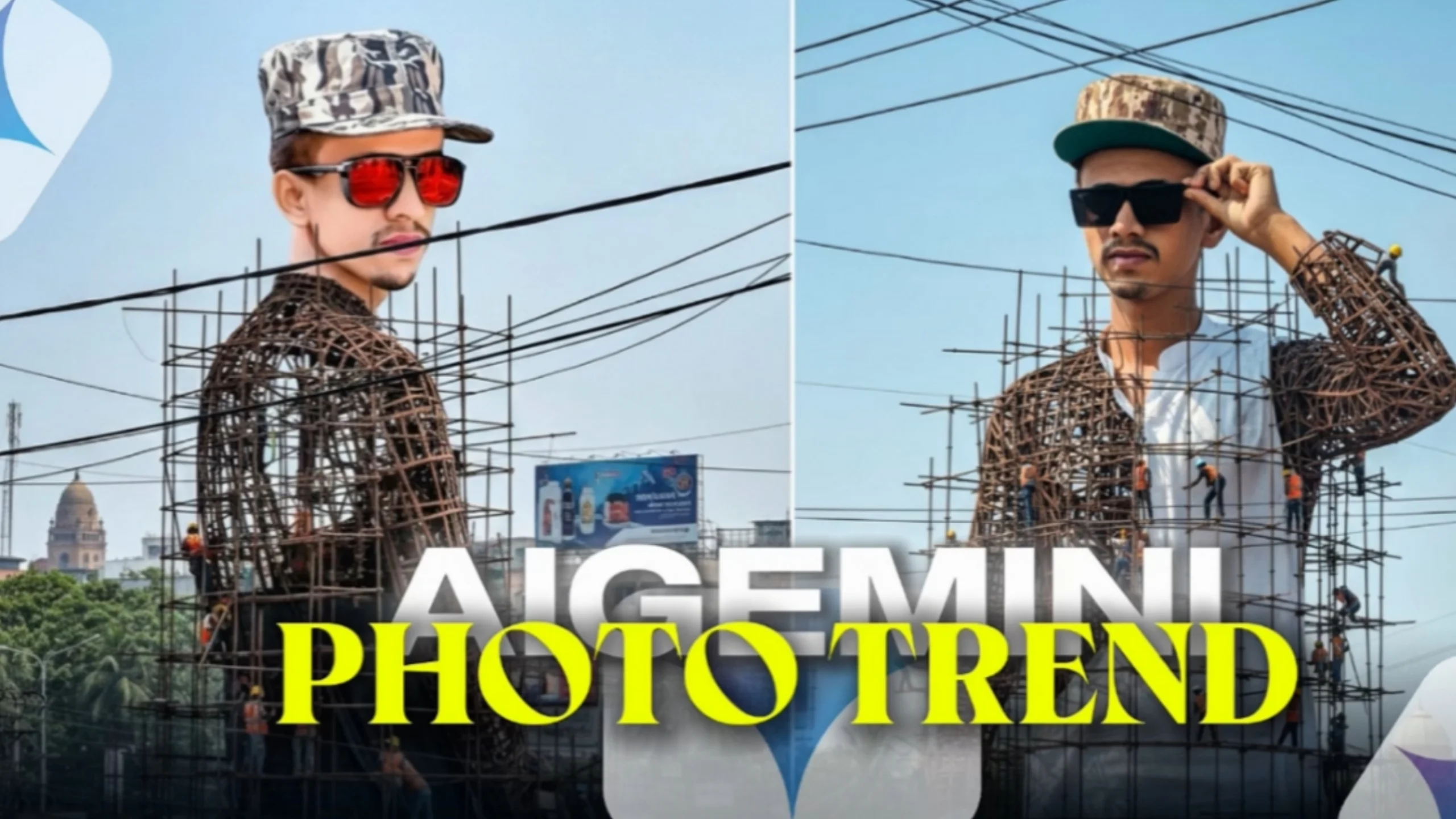
The AI Photo Google Gemini trend has become one of the fastest-growing topics among content creators, designers, and social media users. With Google’s latest AI technology, you can generate realistic images from simple text prompts, turning creative ideas into detailed visuals within seconds.
Whether you want to create portraits, travel scenes, fantasy artwork, or social media graphics, Google Gemini makes AI image generation more accessible than ever.
In this guide, you’ll learn how Google Gemini works, its image generation features, practical use cases, and tips for writing prompts that produce better results.
What Is Google Gemini?
Google Gemini is Google’s advanced multimodal AI model designed to understand and work with different types of content, including text, images, and other media.
One of its most popular capabilities is generating images from written descriptions. Instead of manually designing artwork or editing photos, users simply describe the scene they want, and the AI creates an original image based on that prompt.
Depending on available features and regional access, Gemini may also support additional creative workflows, such as image editing and other AI-powered media generation.
Why Is the AI Photo Google Gemini Trend So Popular?
The popularity of AI-generated images continues to grow because creating professional-looking visuals no longer requires advanced design skills.
Many creators use AI-generated images for:
- Blog featured images
- Social media posts
- Marketing graphics
- Digital artwork
- Presentation slides
- Concept designs
- YouTube thumbnails
- Personal creative projects
The ability to produce unique visuals in just a few minutes has made AI image generation attractive to beginners and professionals alike.
How Prompt-to-Image Generation Works
Prompt-to-image generation is a simple process.
You describe the image using natural language, and the AI interprets your instructions to create an original visual.
For example, instead of writing:
A city
You could write:
A modern city skyline at sunset with glass skyscrapers, warm golden light, reflections on the river, realistic clouds, DSLR photography, ultra-high detail.
The second prompt gives the AI much more context, leading to a richer and more realistic result.
Tips for Writing Better AI Prompts
The quality of your image depends heavily on how clearly you describe it.
Describe the Subject
Include details such as:
- Age
- Clothing
- Expression
- Pose
- Hairstyle
Example:
Young woman wearing a white jacket and blue jeans, smiling naturally while walking through a city street.
Add the Environment
The background makes a big difference.
Examples include:
- Airport terminal
- Mountain landscape
- Modern office
- Rainy street
- Tropical beach
- Coffee shop
- Library
- Garden
Mention Lighting
Lighting helps create realism.
Examples:
- Golden hour
- Soft morning sunlight
- Natural daylight
- Warm indoor lighting
- Cinematic evening light
- Cloudy weather
Include Photography Details
Photography terms improve image quality.
Useful phrases include:
- DSLR photography
- Ultra HD
- High dynamic range
- 85mm portrait lens
- Shallow depth of field
- Natural skin texture
- Documentary photography
Sample AI Photo Prompt
Ultra-realistic portrait of a confident young adult walking through a busy city during golden hour, casual modern clothing, natural smile, DSLR photography, highly detailed skin texture, shallow depth of field, realistic lighting, authentic candid moment, ultra HD quality.
Giant Statue Prompt
If you’d like to create dramatic architectural or artistic scenes, try a prompt like this.
Create a giant hyper-realistic statue inspired by the reference image while preserving the person’s facial features accurately. The massive statue is under construction in the center of a busy city roundabout surrounded by scaffolding. Construction workers wearing yellow safety helmets and orange reflective vests are welding, climbing, and assembling different sections. Some areas show exposed steel framework while others are fully finished. The surrounding streets are filled with buses, cars, bicycles, pedestrians, roadside shops, colorful umbrellas, trees, billboards, and overhead utility wires. Bright daytime lighting, documentary photography, ultra-realistic textures, cinematic atmosphere, extremely detailed architecture.
Popular AI Photo Styles
Google Gemini can create images in many different styles.
Some popular choices include:
- Photorealistic
- Cinematic
- Documentary
- Editorial photography
- Lifestyle photography
- Minimalist
- Vintage
- Fantasy
- Anime
- Watercolor
- Oil painting
- 3D render
- Cyberpunk
Choosing the right style helps match your creative vision.
Practical Uses for AI Photos
AI-generated images can be useful across many industries.
Content Creation
Bloggers and publishers use AI images to illustrate articles and improve visual appeal.
Marketing
Businesses create banners, advertisements, product concepts, and promotional graphics more quickly.
Education
Teachers can produce custom diagrams and educational illustrations for lessons.
Social Media
Creators design unique posts, profile images, and promotional content without relying on stock photography.
Creative Projects
Artists and designers use AI to explore concepts before creating final artwork.
Tips for More Realistic Results
If your first image isn’t exactly what you imagined, try refining your prompt instead of starting over.
Helpful improvements include:
- Specify the time of day.
- Describe the weather.
- Add clothing details.
- Mention camera angles.
- Include realistic facial expressions.
- Request natural lighting.
- Adjust the artistic style.
Even small changes can noticeably improve the output.
Common Mistakes to Avoid
Many beginners write prompts that are too short.
Instead of:
Man standing outside.
Try:
Young businessman standing outside a modern office building during golden hour, wearing a navy suit, confident expression, DSLR photography, realistic reflections, cinematic color grading, shallow depth of field.
The added context usually produces much better images.
The Future of AI Image Generation
AI image generators continue to improve rapidly.
Future developments may include:
- Better understanding of complex prompts
- More realistic lighting and textures
- Improved editing capabilities
- Longer AI-generated media workflows
- Greater creative control
- Faster generation speeds
As these tools evolve, creating high-quality visual content will become even more accessible.
Final Thoughts
The AI Photo Google Gemini trend has made professional-quality image creation available to almost anyone. With well-written prompts, realistic lighting descriptions, and thoughtful composition details, you can generate impressive visuals for personal, educational, or commercial projects.
The key to great AI images is simple: be specific, describe the scene clearly, and keep experimenting with your prompts. Over time, you’ll learn which details produce the most realistic and visually appealing results.
Frequently Asked Questions
What is the AI Photo Google Gemini trend?
It refers to the growing use of Google Gemini to create realistic AI-generated images from text prompts.
Can beginners use Google Gemini?
Yes. Writing a clear description is usually enough to start generating AI images.
Do detailed prompts improve image quality?
Generally, yes. Including details about lighting, clothing, environment, mood, and camera style often leads to more realistic results.
What types of images can I create?
You can generate portraits, landscapes, travel scenes, fantasy artwork, architecture, lifestyle photography, and many other styles.
Can AI-generated images be used commercially?
Commercial usage depends on the licensing terms of the AI platform that generated the image. Always review the applicable usage policies before using images for business purposes.
