
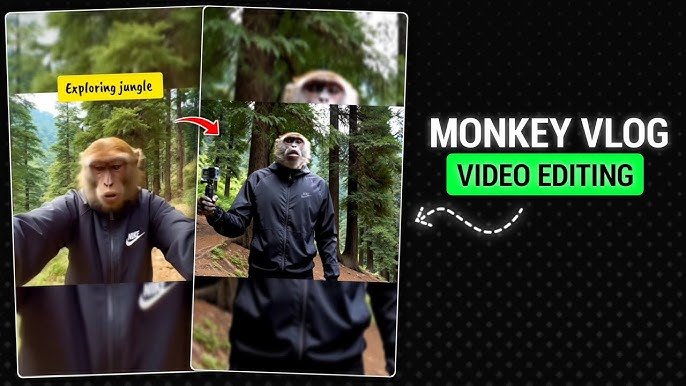
AI-generated videos are changing social media, and one of the biggest trends is the AI Monkey Vlog. These videos feature realistic or animated monkeys acting like human vloggers, traveling, cooking, shopping, or reacting to everyday situations. Their funny expressions, cinematic visuals, and creative storytelling have helped them gain millions of views on platforms like TikTok, Instagram Reels, YouTube Shorts, and Facebook.
The best part is that you don’t need advanced editing skills or expensive software to create these videos. Modern AI video generators can produce realistic scenes from simple text prompts, making it possible for almost anyone to join the trend.
In this guide, you’ll learn what AI Monkey Vlogs are, why they’re popular, the best AI tools to create them, and practical tips to make your videos stand out.
What Is an AI Monkey Vlog?
An AI Monkey Vlog is a short video created with artificial intelligence where a monkey behaves like a human content creator.
Instead of showing wildlife, these videos place the monkey in everyday situations such as:
- Walking through busy streets
- Traveling to famous places
- Cooking meals
- Shopping in supermarkets
- Driving luxury cars
- Visiting cafés
- Going to the gym
- Camping outdoors
- Reviewing gadgets
- Exploring cities
Most creators add realistic camera movement, background music, subtitles, and voiceovers to make the video feel like a real vlog.
Why AI Monkey Videos Are Trending
The popularity of AI Monkey Vlogs comes from their combination of humor and realism.
Several factors have contributed to the trend:
- Funny human-like behavior
- High-quality AI animation
- Easy sharing on short-video platforms
- Creative storytelling
- Entertaining visual effects
- Endless content ideas
Since every video can feature a completely different adventure, creators rarely run out of concepts.
Best AI Tools for Creating AI Monkey Vlogs
Several AI platforms make it easy to generate realistic videos.
AI Video Generators
Modern text-to-video tools can transform a simple prompt into a short cinematic video.
Common features include:
- Text-to-video generation
- Image-to-video animation
- Camera movement
- Realistic lighting
- Character consistency
- High-resolution output
These tools are ideal for creating the base scenes of an AI Monkey Vlog.
AI Image Generators
Many creators first generate a consistent monkey character before turning it into a video.
These tools help produce:
- Cartoon monkeys
- Realistic monkeys
- 3D characters
- Cinematic portraits
- Adventure scenes
Maintaining the same character across multiple videos helps build a recognizable series.
AI Voice Generators
Voice generators can create natural narration for your monkey character.
Popular styles include:
- Funny commentary
- Travel narration
- Storytelling
- Daily vlog conversations
- Comedy dialogue
Pairing a realistic voice with subtitles makes videos more engaging.
How to Make an AI Monkey Vlog
Creating one is simpler than many people expect.
Step 1: Plan Your Story
Start with a simple idea.
Examples include:
- A monkey visits Paris
- A monkey tries street food
- A monkey becomes a chef
- A monkey buys a new phone
- A monkey goes camping
- A monkey explores Dubai
Keeping the story short helps maintain viewer attention.
Step 2: Write a Detailed Prompt
AI performs much better with descriptive prompts.
Include details such as:
- Character appearance
- Clothing
- Location
- Time of day
- Camera angle
- Facial expressions
- Lighting
- Mood
- Video style
The more specific your prompt, the more consistent the result.
Step 3: Generate the Video
Use your preferred AI video generator to create the scene.
If needed, generate multiple versions until you get the best result.
Step 4: Edit the Video
After generation, polish the video using a video editor.
You can add:
- Background music
- Sound effects
- Subtitles
- Zoom effects
- Transitions
- Voice narration
These finishing touches make the final video look much more professional.
Best Video Editors for AI Content
After generating your AI clips, you can edit them using:
- CapCut
- VN Video Editor
- KineMaster
- Shotcut
- DaVinci Resolve
- Adobe Premiere Rush
- PowerDirector
Each editor offers different tools depending on your experience level.
Tips for Making Viral AI Monkey Videos
Creating AI videos is only part of the process. Good storytelling matters just as much.
Some useful tips include:
Keep Videos Short
Most successful AI Shorts last between 15 and 60 seconds.
Short videos generally receive better watch time on social media.
Use Strong Hooks
Capture attention within the first few seconds.
Examples include:
- The monkey discovering something unusual
- A funny reaction
- An unexpected situation
- A surprising location
Add Captions
Many users watch videos without sound.
Subtitles improve accessibility and increase viewer retention.
Use Smooth Camera Movement
Realistic camera motion makes AI-generated scenes look more natural.
Popular movements include:
- Walking shots
- Drone views
- Slow zooms
- Handheld vlog angles
- Tracking shots
Stay Consistent
Using the same monkey character across multiple videos helps build a recognizable brand.
Audiences are more likely to return when they recognize your content style.
Creative AI Monkey Vlog Ideas
If you’re looking for inspiration, try themes like:
- World travel adventures
- Luxury lifestyle
- Cooking challenges
- Camping trips
- School life
- Office comedy
- Fitness journey
- Supermarket shopping
- Hotel reviews
- Beach vacations
- Wildlife documentaries
- City exploration
Mixing humor with storytelling often produces the most entertaining results.
Common Mistakes to Avoid
Many beginners make similar mistakes.
Try to avoid:
- Very long videos
- Poor-quality prompts
- Inconsistent character design
- Too many visual effects
- Low-resolution exports
- Random storytelling
Simple, well-planned videos usually perform better than overly complicated ones.
Frequently Asked Questions
What is an AI Monkey Vlog?
It’s a video created with artificial intelligence where a monkey acts like a human vlogger in everyday situations.
Do I need editing experience?
No. Many AI tools generate videos automatically, and beginner-friendly editors make finishing the video straightforward.
Can I create AI Monkey videos on a phone?
Yes. Many AI generators and mobile editing apps allow you to create and edit videos directly from your smartphone.
Which platforms are best for AI Monkey Vlogs?
These videos perform well on YouTube Shorts, TikTok, Instagram Reels, and Facebook Reels because they are short, entertaining, and highly shareable.
How can I make my AI videos look more realistic?
Use detailed prompts, consistent characters, cinematic lighting, smooth camera movement, and high-quality editing to achieve more natural-looking results.
Final Thoughts
The AI Monkey Vlog trend shows how quickly AI-powered content creation is evolving. With today’s text-to-video technology, anyone can produce entertaining videos that combine humor, storytelling, and realistic animation without needing professional filmmaking skills.
Success doesn’t come from using the most expensive tools it comes from creating interesting stories, maintaining consistent characters, and publishing engaging content regularly. As AI video technology continues to improve, creators who experiment with original ideas and polished editing will have even more opportunities to build an audience across today’s most popular social media platforms.
