
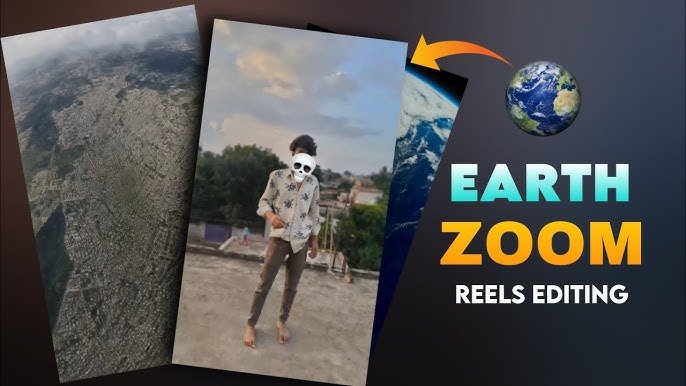
The Earth Zoom effect has become one of the most popular video editing trends on platforms like TikTok, Instagram Reels, and YouTube Shorts. It creates the illusion of smoothly zooming from outer space to a specific city, landmark, or location, giving videos a dramatic and cinematic opening.
Years ago, creating this type of visual effect required advanced editing software and professional VFX skills. Today, AI-powered video editing tools make the process much easier. With the help of modern AI platforms, even beginners can create impressive zoom transitions and cinematic visual effects in a fraction of the time.
In this guide, you’ll learn how the Earth Zoom effect works, which AI video editing tools can help you create it, and practical tips for getting the best results.
What Is the Earth Zoom Effect?
The Earth Zoom effect is a camera transition that begins with a view of the Earth from space and gradually zooms toward a specific location on the planet.
Many creators use this effect to introduce:
- Travel videos
- City showcases
- Real estate content
- Cinematic intros
- Documentary-style videos
- Social media reels
The smooth movement creates a professional look that immediately grabs the viewer’s attention.
Why AI Makes Earth Zoom Editing Easier
Modern AI editing tools automate many tasks that previously required manual animation.
Instead of creating every camera movement frame by frame, AI can help with:
- Camera path generation
- Object tracking
- Scene transitions
- Motion smoothing
- Background replacement
- Video enhancement
- Color grading
This reduces editing time while producing more polished results.
Best AI Video Editing Tools for Earth Zoom Effects
Several AI-powered platforms provide features that can help create cinematic zoom animations.
Runway
Runway is one of the most popular AI video editing platforms available today.
It includes features such as:
- AI object removal
- Motion tracking
- Background replacement
- Video generation
- Image animation
- Smart masking
These tools make it easier to combine multiple scenes into a smooth Earth Zoom sequence.
Wonder Studio
Wonder Studio specializes in AI-powered character and scene replacement.
Although it’s primarily designed for visual effects involving digital characters, it can also assist creators working on cinematic storytelling projects.
Kaiber AI
Kaiber AI focuses on artistic video generation.
It’s useful if you want to give your Earth Zoom sequence a unique visual style, such as:
- Futuristic
- Fantasy
- Anime-inspired
- Cinematic
- Digital art
Pika
Pika is another AI video generation platform that can animate still images and generate creative video sequences from text prompts.
Many creators use it for producing short cinematic clips suitable for social media.
Step-by-Step Earth Zoom Editing Workflow
Creating an Earth Zoom effect usually involves several simple stages.
Step 1: Gather Your Assets
You’ll typically need:
- A satellite or Earth view
- A destination image or video
- Optional drone footage
- Background music
- Sound effects
Using high-resolution media helps produce a more realistic final result.
Step 2: Create the Zoom Sequence
Using your preferred editing software or AI platform, build the transition from space toward your destination.
The movement should feel smooth rather than sudden.
Gradually increasing the zoom speed often creates a more cinematic experience.
Step 3: Add Motion Effects
Motion blur, camera shake, and subtle speed changes can make the transition feel more natural.
Avoid using excessive effects that distract from the main animation.
Step 4: Improve the Colors
Color grading helps different clips blend together.
Adjust:
- Contrast
- Saturation
- Shadows
- Highlights
- White balance
Maintaining consistent colors across all scenes creates a more professional result.
Step 5: Export in High Resolution
For the sharpest results, export your finished video in the highest resolution supported by your editing software and intended platform.
AI Features That Improve Video Editing
Today’s AI video editors include many tools beyond simple transitions.
Popular features include:
- Automatic subtitles
- Scene detection
- AI background removal
- Voice enhancement
- Motion tracking
- Video stabilization
- Auto reframing
- Smart object selection
These tools reduce manual work while improving overall video quality.
Tips for Creating Better Earth Zoom Videos
Small improvements can make your final edit look much more professional.
Use High-Quality Source Footage
Low-resolution images become blurry during zoom animations.
Whenever possible, begin with high-quality media.
Keep Camera Motion Smooth
Abrupt speed changes can make transitions feel unnatural.
Smooth acceleration and gradual slowing usually produce better results.
Add Cinematic Sound Design
Background music and subtle sound effects help enhance the viewing experience.
Simple ambient sounds often work better than overly dramatic audio.
Don’t Overuse Effects
The Earth Zoom animation is already visually impressive.
Using too many extra transitions or visual effects may reduce its impact.
AI Video Editing for Social Media
Earth Zoom edits perform well across multiple platforms.
Many creators use them for:
- YouTube Shorts
- TikTok
- Instagram Reels
- Facebook Reels
Vertical video formats are generally better suited for short-form content, while horizontal formats work well for YouTube and presentations.
Benefits of AI Video Editing
AI-powered editing tools offer several advantages.
They help creators:
- Save editing time
- Produce smoother animations
- Improve video quality
- Automate repetitive tasks
- Experiment with creative styles
- Create professional-looking content without advanced editing experience
This makes AI especially valuable for beginners and solo creators.
Frequently Asked Questions
Can beginners create an Earth Zoom effect?
Yes. Many AI video editing platforms simplify the process by providing automated tools and templates.
Do I need professional editing software?
Not necessarily. Several AI-based editors allow users to create impressive video effects without complex software.
Which type of video works best with Earth Zoom effects?
Travel videos, city tours, documentaries, real estate content, and cinematic introductions are among the most popular choices.
Can AI improve existing videos?
Yes. AI tools can enhance video quality, stabilize footage, improve colors, and automate several editing tasks.
Are AI video editors suitable for social media?
Yes. Many platforms support exports optimized for TikTok, Instagram Reels, YouTube Shorts, and other social media formats.
Final Thoughts
The Earth Zoom effect is an excellent way to make your videos more cinematic and engaging. Thanks to AI-powered video editing tools, creating smooth zoom transitions, professional color grading, and impressive visual effects has become much easier than it was just a few years ago.
Whether you’re producing travel content, educational videos, or creative short films, AI editing platforms can help simplify your workflow while improving the quality of your final project. With the right combination of planning, high-quality footage, and AI-assisted editing, you can create eye-catching Earth Zoom videos that stand out across today’s most popular social media platforms.
