
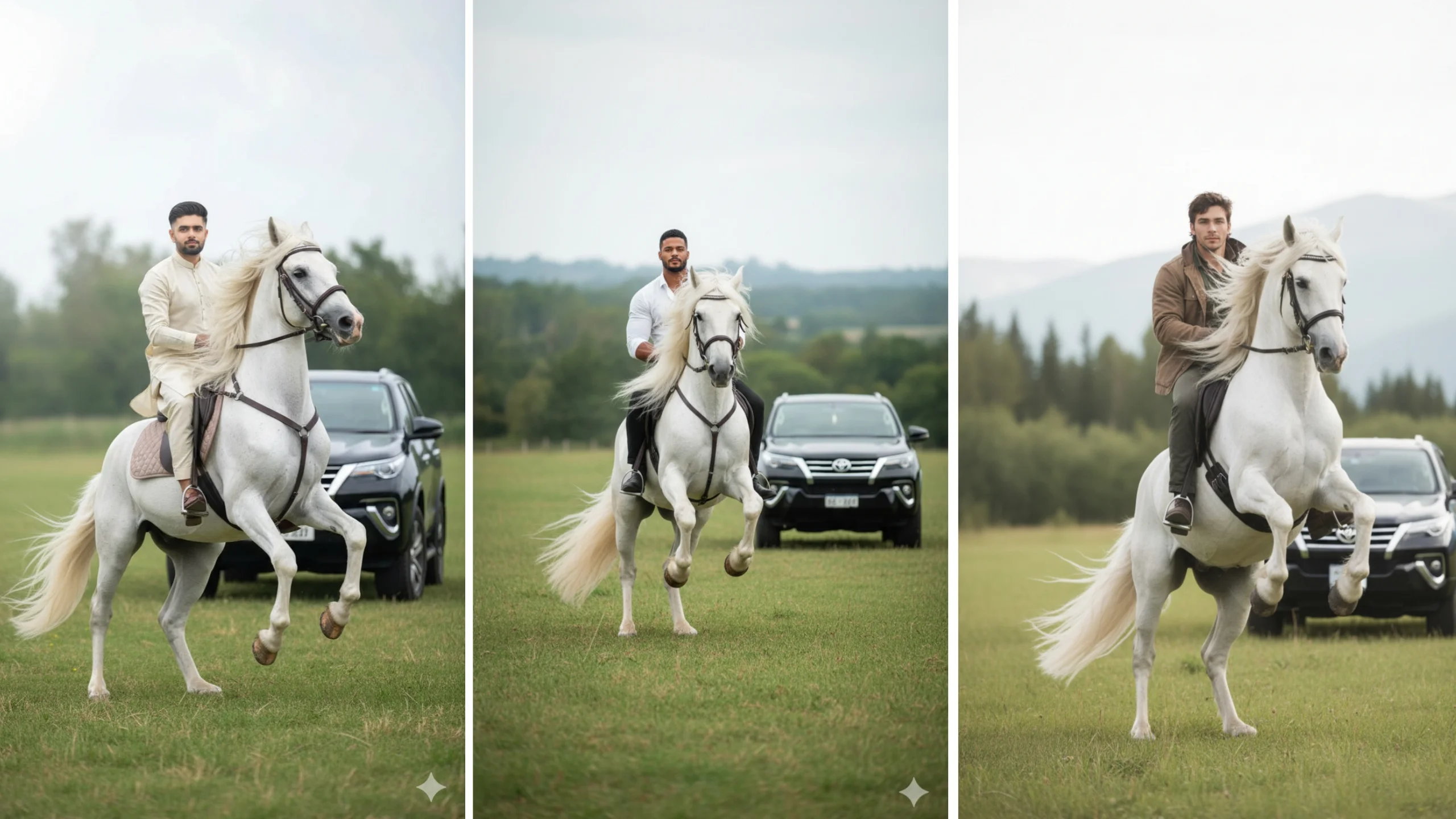
AI image generation has become one of the biggest trends on social media. Every day, creators share cinematic portraits, luxury lifestyle edits, and fantasy-style images created with tools like Google Gemini, ChatGPT, and other AI image generators.
Among the most popular trends are AI White Horse portraits and AI Girlfriend (AI GF) edits. These prompts allow users to generate realistic images featuring dramatic lighting, premium vehicles, elegant outfits, and movie-style backgrounds.
Note: These prompts are intended for creating AI-generated artwork from your own photos or with permission. Always respect the privacy and rights of others.
What Are AI White Horse Prompts?
AI White Horse prompts are detailed instructions that tell an AI image generator how to create a realistic scene featuring a person riding or standing beside a majestic white horse.
The more specific your prompt is, the better the final image usually looks. Most creators include details such as:
- Clothing style
- Horse breed
- Camera angle
- Lighting
- Background scenery
- Facial expression
- Image quality
- Color grading
Adding these details helps the AI produce a more polished and realistic result.
What Is the AI Girlfriend Trend?
The AI Girlfriend trend has become popular across social media platforms because it creates cinematic portraits with emotional storytelling.
Instead of generating a simple portrait, these prompts often include:
- Soft background blur
- Warm golden lighting
- Double-exposure effects
- Romantic color grading
- Dramatic depth of field
- Luxury fashion styling
The result resembles a movie poster or professional fashion photoshoot.
Prompt 1: White Horse Luxury Portrait
Use this prompt after uploading your own photo:
Prompt:
Create an ultra-realistic cinematic portrait of the uploaded person sitting confidently on a majestic white Friesian horse standing on its hind legs in a wide green field. The horse has a long flowing mane, feathered legs, premium leather bridle with metallic details, and a powerful muscular body. The person wears the same outfit as in the uploaded image. In the background, place a black luxury SUV parked beside an old stone fort surrounded by trees. Soft golden-hour lighting, shallow depth of field, cinematic atmosphere, highly detailed skin texture, natural colors, 8K quality, DSLR photography style. Preserve the uploaded face exactly without changing facial identity.
Prompt 2: AI Girlfriend Cinematic Portrait
Prompt:
Generate a high-resolution cinematic portrait of the uploaded person standing confidently with a serious expression. Keep the same face and hairstyle from the uploaded image. The person wears a dark brown fitted shirt with black trousers and a simple silver bracelet. Behind him, create a large artistic double-exposure portrait of a beautiful South Asian woman with soft monochrome sepia colors. Warm sunset lighting, creamy bokeh background, ultra-realistic photography, premium color grading, shallow depth of field, luxury editorial style, 8K resolution.
Prompt 3: White Stallion and Luxury Scene
Prompt:
Create a realistic full-body portrait of the uploaded person sitting on a powerful white stallion rearing dramatically. The horse has flowing mane and tail, realistic muscles, and detailed saddle equipment. Nearby is an elegant black metal chair with a fluffy white long-haired cat sitting calmly. Add decorative plants, warm hanging lights, and a classic white vintage car in the background. Soft daylight, luxury lifestyle atmosphere, ultra-photorealistic, cinematic composition, highly detailed textures, DSLR quality. Keep the uploaded face exactly the same without any changes.
Tips for Better AI Image Results
Even a good prompt can produce different results depending on the AI model. These simple improvements often make a noticeable difference.
Upload a High-Quality Photo
Choose a clear image where your face is visible and well lit. Blurry or low-resolution photos usually produce weaker results.
Describe the Camera Style
Adding photography terms helps guide the AI.
Examples include:
- DSLR photo
- Portrait lens
- 85mm lens
- Shallow depth of field
- Cinematic lighting
- Golden hour
- Soft shadows
Mention Image Quality
Including quality instructions often improves detail.
Common examples are:
- Ultra realistic
- Hyper detailed
- 8K
- High resolution
- Professional photography
Keep the Prompt Specific
Instead of writing “nice background,” describe exactly what you want.
For example:
- Ancient castle
- Green mountains
- Luxury villa
- Forest pathway
- Sunset sky
- Vintage car
- Modern city lights
Specific descriptions usually produce more consistent images.
Google Gemini vs ChatGPT for AI Images
Both Google Gemini and ChatGPT support AI-assisted creativity, but their capabilities can differ depending on the version and image model available.
Google Gemini
Google Gemini works well for generating detailed prompts and handling multimodal tasks. It can help refine image descriptions and improve prompt quality.
ChatGPT
ChatGPT is especially useful for expanding simple ideas into detailed prompts, adjusting styles, and creating multiple prompt variations for different artistic themes.
Rather than choosing one as universally better, use the platform that provides the image generation features and editing controls you need.
Safety Tips Before Using AI Prompts
When creating AI-generated images, keep these best practices in mind:
- Use your own photos or images you have permission to use.
- Avoid uploading sensitive personal information.
- Never use AI to impersonate or misrepresent real people.
- Review platform guidelines before sharing generated images publicly.
Responsible use helps protect both your privacy and others’.
Final Thoughts
AI White Horse and AI Girlfriend prompts continue to trend because they combine cinematic photography, creative storytelling, and realistic visual effects. By writing detailed prompts and using high-quality reference photos, you can create impressive AI-generated portraits that look professionally edited.
Experiment with different lighting, backgrounds, camera angles, and artistic styles to develop images that match your personal preferences. Small prompt adjustments can make a significant difference in the final result, so don’t hesitate to refine your descriptions until you achieve the look you want.
