
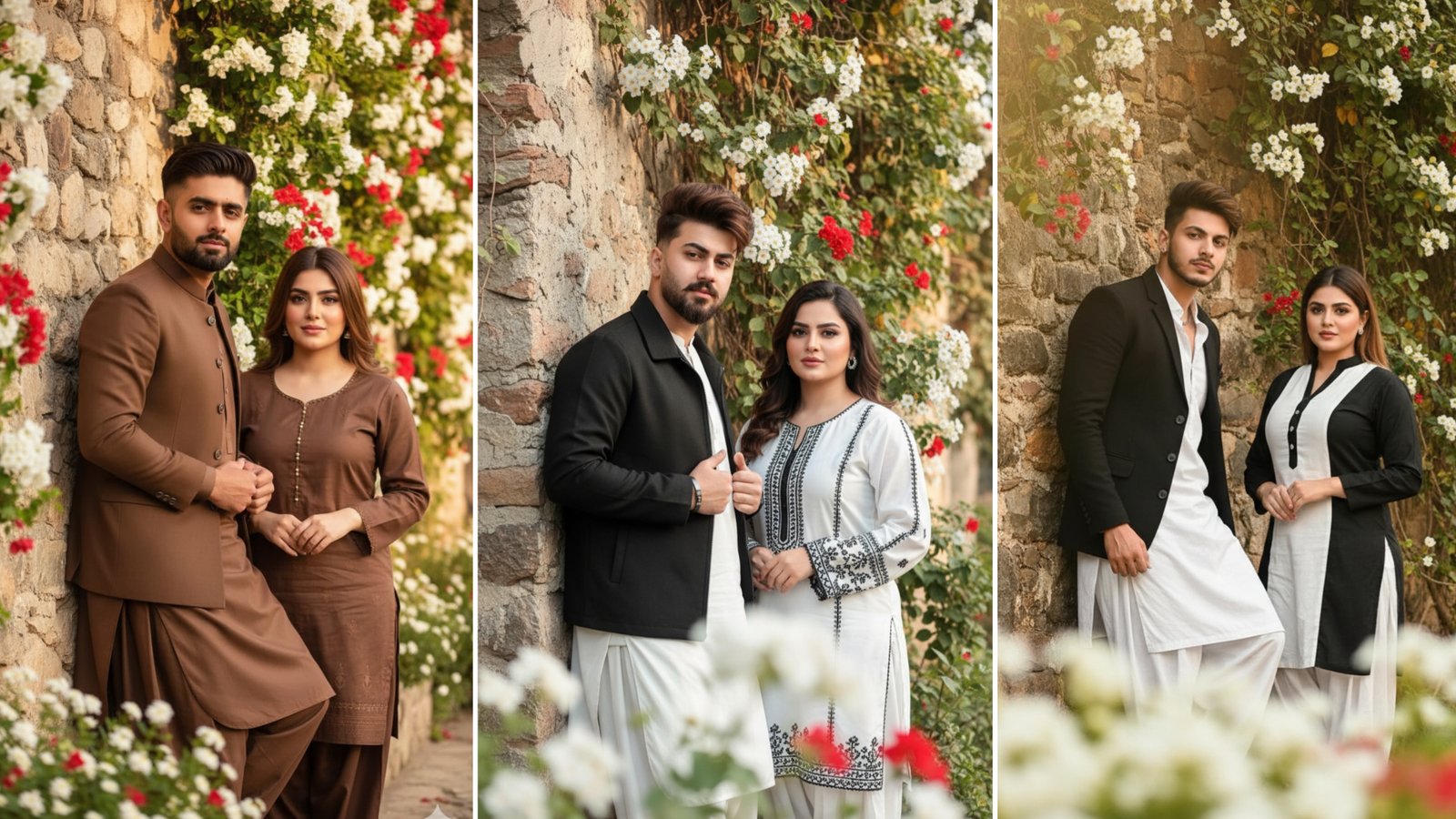
AI image generation has made it possible to create detailed portraits, cinematic scenes, and creative artwork from simple text prompts. One of the most popular trends is creating realistic couple portraits using Google Gemini and other AI image-generation tools.
The quality of the final image depends largely on the prompt you write. A clear and detailed prompt helps the AI understand your vision, resulting in images that look more natural and visually appealing.
In this guide, you’ll learn what a Google Gemini couple prompt is, how to write one effectively, common mistakes to avoid, and an example prompt you can customize for your own projects.
What Is a Google Gemini Couple Prompt?
A Google Gemini couple prompt is a written description that tells the AI exactly what kind of image you want to generate.
Instead of writing a short request like “a couple standing together,” a detailed prompt describes the people, clothing, setting, lighting, expressions, camera angle, and overall mood.
The more relevant details you include, the better the AI can understand your requirements.
Why Detailed Prompts Produce Better Results
AI models work by interpreting the information you provide.
A detailed prompt can specify:
- The appearance of each person
- Clothing style
- Facial expressions
- Background location
- Time of day
- Lighting style
- Camera perspective
- Color palette
- Overall atmosphere
Providing these details usually leads to more consistent and realistic results.
Elements of a Good Couple Prompt
A strong prompt includes several important components.
Describe the Characters
Start by explaining who appears in the image.
For example:
- Age range
- Hairstyle
- Clothing
- Pose
- Expression
- Accessories
Avoid unnecessary repetition and focus on the features that matter most.
Choose the Environment
The setting helps define the overall mood.
Popular backgrounds include:
- Gardens
- Historic streets
- Mountains
- Parks
- Beaches
- Cafés
- Countryside
- City streets
A detailed environment makes the image feel more natural.
Add Lighting Details
Lighting has a major impact on realism.
Common choices include:
- Golden hour sunlight
- Soft morning light
- Sunset glow
- Natural daylight
- Cinematic lighting
- Studio lighting
- Night scene with city lights
Natural lighting often produces the most realistic portraits.
Specify the Camera Style
You can also guide the composition by mentioning photography terms such as:
- Portrait shot
- Full-body photo
- Medium shot
- Eye-level angle
- Shallow depth of field
- Soft background blur
- Professional DSLR photography
These details influence how the final image is framed.
Example Google Gemini Couple Prompt
Here’s an example of a natural and detailed prompt:
A young couple standing beside an old stone wall covered with green vines and blooming white and red flowers. The man has neatly styled brown hair and wears a well-fitted brown shalwar kameez with a matching waistcoat. The woman wears an elegant shalwar kameez in complementary earth-tone colors with subtle embroidery and a graceful dupatta. Both smile naturally while looking toward the camera. Warm golden-hour sunlight softly illuminates their faces, creating a peaceful atmosphere. The foreground contains softly blurred flowers for depth, with a professional DSLR portrait style, realistic skin tones, high detail, and a shallow depth of field.
This prompt provides enough detail without becoming overly complicated.
Tips for Better AI Image Prompts
To improve your results, follow these practical guidelines:
- Be specific about clothing and colors.
- Describe the background clearly.
- Mention the lighting conditions.
- Include the desired mood.
- Specify whether you want a realistic or artistic style.
- Keep the prompt organized and easy to understand.
- Revise your prompt if the first result isn’t exactly what you expected.
Small adjustments often produce noticeably better images.
Common Mistakes to Avoid
Many beginners make prompts that are either too short or too confusing.
Avoid these mistakes:
- Using very vague descriptions.
- Adding contradictory instructions.
- Overloading the prompt with unnecessary details.
- Repeating the same information multiple times.
- Mixing several different artistic styles in one prompt.
A clear, focused prompt generally produces better results.
How to Improve Your Prompt
If the generated image isn’t close to your vision, adjust one element at a time.
For example, you can change:
- The lighting
- The background
- The clothing colors
- Facial expressions
- Camera angle
- Image style
Testing small variations helps you understand which descriptions work best.
Frequently Asked Questions
What is a Google Gemini prompt?
A Google Gemini prompt is a written instruction that tells the AI what type of content or image you want it to create.
Why are detailed prompts better?
Detailed prompts provide more context, allowing the AI to generate images that more closely match your expectations.
Can I create realistic couple portraits?
Yes. Including details about clothing, lighting, poses, expressions, and backgrounds can help produce realistic-looking couple portraits.
Should prompts be very long?
Not necessarily. A prompt should be detailed enough to describe the important elements while remaining clear and organized.
Can I modify prompts after generating an image?
Yes. Refining your prompt based on previous results is one of the best ways to improve image quality.
Final Thoughts
Writing a good Google Gemini couple prompt is all about clarity and detail. By describing the people, environment, lighting, composition, and overall mood, you give the AI enough information to create realistic and visually appealing images. Don’t expect the perfect result on the first attempt—experiment with small changes, refine your prompt, and you’ll gradually achieve images that match your creative vision.
