
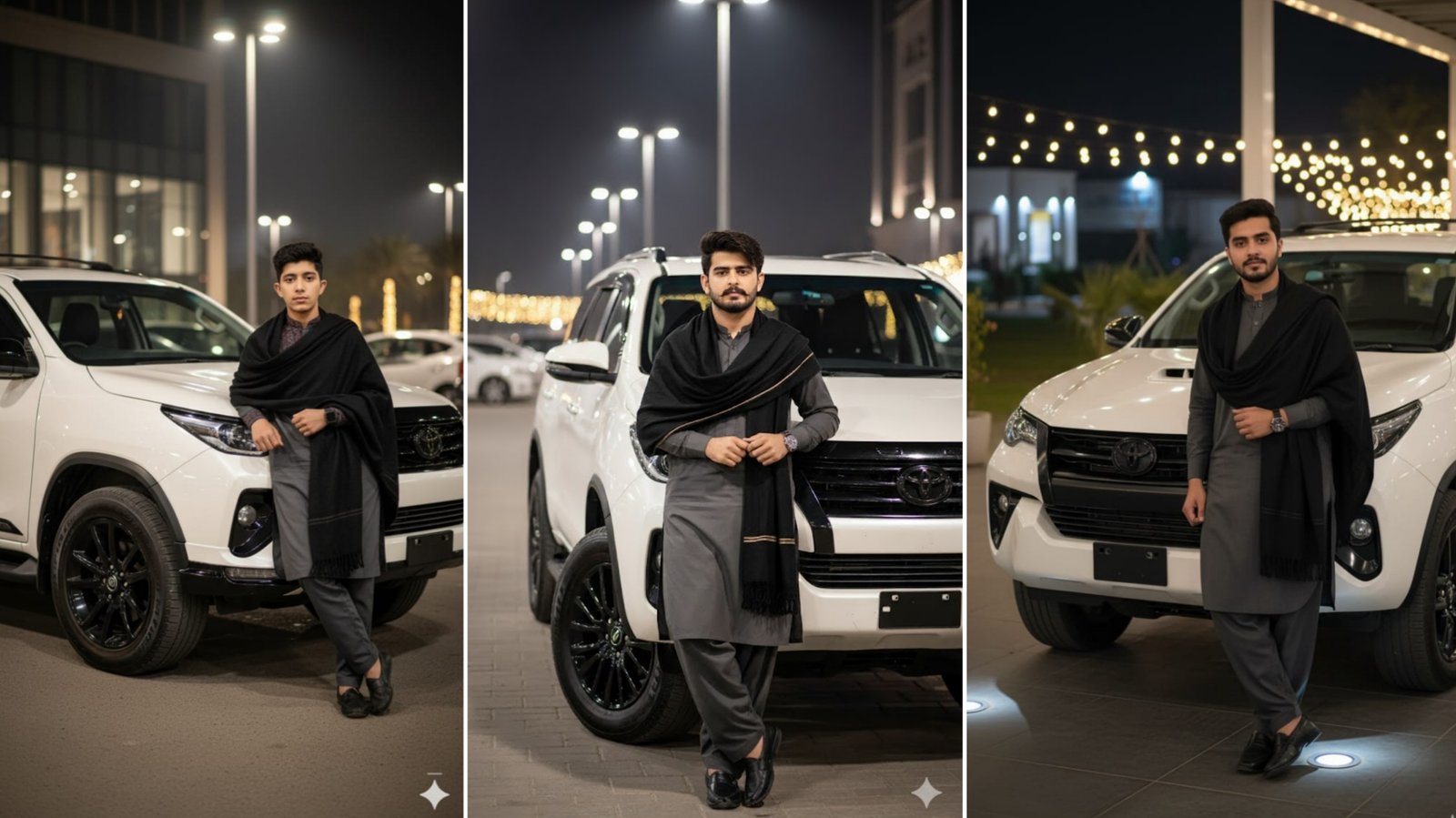
AI image generation has changed the way people create automotive photography. Instead of arranging a professional photoshoot, creators can now describe a scene in a few sentences and generate detailed, cinematic images within minutes.
One trend that has become especially popular is creating Toyota Revo Rocco portraits with Google Gemini and other AI image generators. These images combine modified pickup trucks, dramatic lighting, traditional outfits, and premium photography styles to produce eye-catching visuals for social media and personal projects.
In this guide, you’ll learn how to write effective Gemini prompts, what details improve image quality, and how to create realistic Rocco-themed AI artwork.
Note: If you use AI to create images featuring real people, always follow the platform’s policies and avoid generating misleading or deceptive content.
Why Toyota Revo Rocco AI Images Are Trending
The Toyota Revo Rocco is widely recognized for its rugged design and premium appearance. When combined with cinematic lighting and modern photography styles, it creates images that stand out on platforms like Instagram, Pinterest, Facebook, and YouTube.
Many creators pair the vehicle with:
- Traditional clothing
- Urban night scenes
- Mountain roads
- Desert landscapes
- Luxury backgrounds
- Off-road environments
These combinations create bold and realistic automotive portraits.
Understanding Gemini Image Prompts
A prompt is simply a written description that tells the AI what you want to create.
Instead of writing:
“Boy standing with a truck.”
A better prompt explains the subject, environment, lighting, camera angle, and style.
The more useful information you provide, the more accurately the AI can generate the image.
Essential Elements of a Good Prompt
Describe the Subject
Start by explaining who appears in the image.
For example:
- Young man
- Traveler
- Off-road enthusiast
- Fashion model
You can also describe posture or facial expression to make the scene feel more natural.
Add Clothing Details
Clothing plays a major role in creating realistic portraits.
Examples include:
- Charcoal-black shalwar kameez
- White shawl
- Leather boots
- Sunglasses
- Wristwatch
- Casual sneakers
Specific colors and accessories help the AI build a more detailed image.
Describe the Vehicle
Instead of mentioning only the vehicle name, describe its appearance.
Examples:
- Toyota Revo Rocco
- Black alloy wheels
- Lifted suspension
- Off-road tires
- LED light bar
- Matte finish
- Custom grille
These details help create a more realistic automotive scene.
Choose the Background
The environment should match the mood of your image.
Popular options include:
- Mountain road
- Desert highway
- Modern city
- Parking area
- Countryside
- Luxury hotel entrance
Specify the Lighting
Lighting has one of the biggest impacts on image quality.
Common choices include:
- Golden hour
- Sunset
- Night photography
- Soft daylight
- Cloudy weather
- Cinematic lighting
Good lighting often makes AI-generated images appear more professional.
Include Photography Style
Photography terms help the AI understand the visual style.
Useful descriptions include:
- Full-body portrait
- DSLR photography
- Ultra-realistic
- High dynamic range
- Editorial photography
- Soft bokeh background
- Shallow depth of field
- 4K quality
Example Gemini Rocco Prompt
You can customize a prompt like this for your own creative projects.
Prompt Example
An ultra-realistic full-body portrait of a confident young man standing beside a customized Toyota Revo Rocco with lifted suspension, black alloy wheels, and LED auxiliary lights. He is wearing a charcoal-black traditional shalwar kameez with a maroon patterned shawl, sunglasses, and leather boots. The vehicle is parked on a rugged mountain road under dramatic evening clouds. Cinematic lighting, DSLR photography, natural skin tones, soft background blur, ultra-detailed textures, realistic reflections, HDR quality, and a premium editorial style.
Changing the background or lighting can create a completely different mood.
Popular Rocco AI Photography Styles
Different themes can completely transform the final image.
Off-Road Adventure
Dusty roads, rocky hills, and dramatic skies create a rugged outdoor look.
Urban Night Photography
City lights, reflective streets, and modern buildings produce a luxury automotive style.
Desert Sunset
Warm golden lighting paired with sand dunes creates cinematic visuals.
Traditional Fashion
Traditional South Asian clothing combined with modern vehicles has become a popular creative style across social media.
Rainy Weather
Wet roads and reflections can make the image feel more dramatic and realistic.
Tips for Better Results
If you want your AI-generated images to look more realistic, remember these tips:
- Use complete sentences.
- Describe lighting carefully.
- Mention camera angle.
- Add clothing details.
- Include vehicle modifications.
- Describe the environment.
- Keep the overall theme consistent.
Avoid adding too many unrelated ideas in a single prompt.
Common Mistakes
Many beginners don’t achieve realistic images because they:
- Write very short prompts.
- Forget to describe the background.
- Leave out lighting details.
- Mix several different art styles.
- Use conflicting instructions.
A clear and structured prompt usually produces better results.
Where Can You Use Rocco AI Images?
Toyota-themed AI artwork works well for:
- Social media content
- Automotive blogs
- YouTube thumbnails
- Creative portfolios
- Digital artwork
- Wallpaper designs
- Marketing concepts
Before using AI-generated images commercially, review the licensing terms of the platform you’re using.
Frequently Asked Questions
Can Google Gemini create realistic vehicle images?
Gemini can generate or assist with image creation depending on the Google service and features available in your region. Detailed prompts usually produce more accurate results.
Do I need photography knowledge?
No. Understanding basic concepts like lighting, background, and camera angle is helpful, but anyone can improve results by writing clear prompts.
Can I change the vehicle color?
Yes. AI image generators allow you to describe different paint colors, finishes, wheels, and modifications within your prompt.
Which style looks the most realistic?
Ultra-realistic DSLR photography with cinematic lighting, HDR detail, shallow depth of field, and natural textures often produces the best-looking automotive portraits.
Final Thoughts
The Toyota Revo Rocco trend shows how detailed prompts can transform simple ideas into realistic automotive artwork. By combining vehicle details, traditional fashion, cinematic lighting, and professional photography styles, you can create AI-generated images that look polished and visually impressive.
Experiment with different locations, weather conditions, camera angles, and lighting setups to develop your own creative style and produce unique images that stand out across social media and digital projects.
