
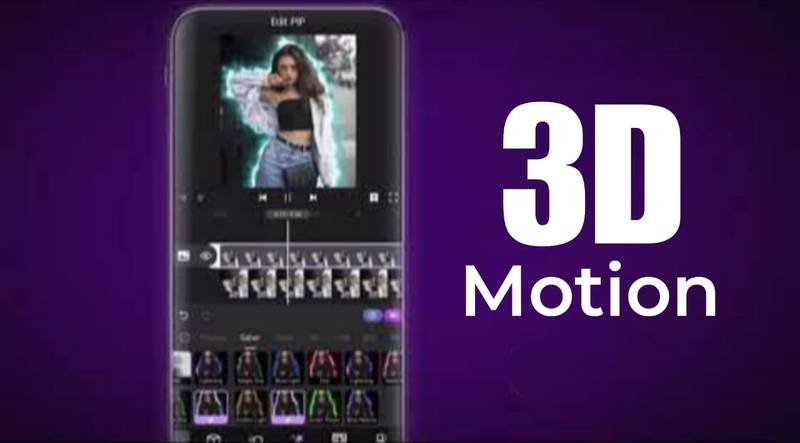
Creating professional videos no longer requires expensive desktop software. Today, powerful mobile apps allow creators to edit cinematic videos, add 3D motion effects, and produce social media content directly from their smartphones.
Among the most popular mobile editing apps are Motion Ninja and CapCut Pro. Both offer impressive editing tools, but they are designed for different types of creators. Motion Ninja focuses on advanced motion graphics and visual effects, while CapCut Pro emphasizes speed, simplicity, and AI-powered editing.
This guide compares Motion Ninja and CapCut Pro to help you decide which video editor is the better choice for your projects.
What Is a 3D Motion Video Editor?
A 3D motion video editor is software that lets you create dynamic videos using animation, movement, visual effects, and layered editing. These editors can transform ordinary clips into professional-looking content with cinematic transitions, motion tracking, and animated elements.
Popular features include:
- 3D camera movement
- Keyframe animation
- Motion blur
- Multi-layer editing
- Visual effects (VFX)
- Green screen editing
- Text animations
- Professional transitions
These tools are widely used by YouTubers, TikTok creators, Instagram influencers, marketers, and video editors.
Motion Ninja Overview
Motion Ninja is a mobile video editing app built for creators who want greater control over animations and visual effects.
Unlike basic editors, Motion Ninja includes advanced tools typically found in desktop software, making it a strong choice for users interested in cinematic editing.
Key Features of Motion Ninja
- Advanced keyframe animation
- Multi-layer timeline
- Chroma key (green screen)
- Motion tracking
- 3D camera effects
- Blend modes
- Professional transitions
- Animated text effects
These features make Motion Ninja popular among creators who produce gaming videos, cinematic edits, music videos, and visual effects content.
CapCut Pro Overview
CapCut Pro has become one of the world’s most widely used mobile video editors. Developed by the company behind TikTok, it is designed to help users create engaging videos quickly.
Its clean interface and AI-powered editing tools make it especially appealing to beginners and social media creators.
Key Features of CapCut Pro
- AI auto captions
- Background removal
- One-click templates
- Trending transitions
- Filters and effects
- Speed controls
- Music library
- Automatic beat synchronization
CapCut focuses on making editing fast without requiring advanced technical knowledge.
User Interface Comparison
Both apps are easy to install, but their editing experiences differ significantly.
Motion Ninja
Motion Ninja uses a professional editing layout with multiple layers and advanced controls.
Advantages include:
- Greater editing precision
- Better animation control
- Professional timeline
- Flexible layer management
Because of its advanced tools, beginners may need some time to become familiar with the interface.
CapCut Pro
CapCut keeps things simple.
Its interface is designed for speed, allowing users to create videos with minimal effort.
Benefits include:
- Beginner-friendly layout
- Quick navigation
- Simple editing workflow
- Fast export process
If you want to create social media videos quickly, CapCut offers a smoother learning experience.
Editing Features Comparison
Motion Ninja
Motion Ninja excels in professional editing.
Its strongest features include:
- Advanced keyframes
- Motion graphics
- Layer-based editing
- Visual effects
- Camera movement animations
- Professional masking
These tools allow creators to build complex video projects entirely on mobile devices.
CapCut Pro
CapCut emphasizes automation.
Its AI tools can automatically perform tasks such as:
- Caption generation
- Background removal
- Object cutouts
- Scene templates
- Automatic transitions
Although it includes keyframe animation, Motion Ninja provides more advanced control for experienced editors.
3D Motion and Animation
If your goal is creating cinematic edits, Motion Ninja has a clear advantage.
Its animation system supports:
- Smooth object movement
- Camera zoom effects
- Rotations
- Layer animations
- Professional motion graphics
CapCut also supports animations but focuses more on quick presets than manual customization.
Performance and Speed
Motion Ninja
Motion Ninja performs well on modern smartphones, but projects with multiple layers and heavy effects may require more processing power.
It is best suited for users willing to spend extra time achieving polished results.
CapCut Pro
CapCut is optimized for fast editing.
Even mid-range smartphones can usually handle:
- Short-form videos
- Trending templates
- Social media content
- Basic animations
Its efficient performance makes it ideal for creators who upload videos regularly.
Effects and Creative Tools
Motion Ninja
Motion Ninja offers greater creative freedom.
Highlights include:
- Cinematic filters
- Motion blur
- 3D effects
- Particle effects
- Professional transitions
- Advanced masking
These features allow editors to produce unique visual styles.
CapCut Pro
CapCut focuses on current social media trends.
Popular tools include:
- Viral transitions
- AI filters
- Beauty effects
- Stickers
- Text animations
- Ready-made templates
Many creators prefer CapCut because new effects are added frequently.
Audio Editing
Both apps include useful audio features.
Motion Ninja
Provides:
- Multi-track audio editing
- Audio keyframes
- Sound effects
- Manual audio adjustments
CapCut Pro
Offers:
- Large music library
- Auto beat synchronization
- Voice effects
- AI captions
- Audio extraction
For quick content creation, CapCut’s audio workflow is generally faster.
Pricing Comparison
Both apps offer free versions with optional premium subscriptions.
Motion Ninja Premium
Typically unlocks:
- Premium effects
- Advanced animations
- Higher export quality
- Watermark removal
CapCut Pro
Premium plans generally include:
- Exclusive templates
- AI editing tools
- Premium effects
- Higher-quality exports
- Cloud storage features
The available features may change over time, so it’s worth checking each app’s latest subscription details before purchasing.
Which Video Editor Should You Choose?
Choose Motion Ninja if you:
- Create cinematic videos
- Enjoy motion graphics
- Need advanced keyframe animation
- Edit gaming content
- Want professional visual effects
Choose CapCut Pro if you:
- Create TikTok videos
- Edit Instagram Reels
- Produce YouTube Shorts
- Want faster editing
- Prefer AI-powered tools
Your choice depends on your editing style rather than which app is objectively better.
Tips for Better Mobile Video Editing
No matter which editor you choose, these practices can improve your videos:
- Record in high resolution.
- Use good lighting whenever possible.
- Keep clips organized before editing.
- Avoid excessive visual effects.
- Match transitions to your video’s pace.
- Add background music carefully.
- Export using the highest quality your device supports.
Strong storytelling and clean editing usually have a greater impact than using every available effect.
Final Verdict
Motion Ninja and CapCut Pro are both excellent mobile video editors, but they target different audiences.
Motion Ninja is the stronger choice for creators who want professional-level animation, advanced keyframe editing, and detailed visual effects. It offers greater creative control, making it ideal for cinematic projects, gaming edits, and motion graphics.
CapCut Pro, on the other hand, excels in speed, simplicity, and AI-powered editing. It allows beginners and social media creators to produce polished videos with minimal effort, making it one of the best options for short-form content.
If your priority is advanced editing and customization, Motion Ninja is likely the better fit. If you value fast workflows and easy-to-use AI features, CapCut Pro is an excellent choice.
Frequently Asked Questions
Which app is better for beginners?
CapCut Pro is generally easier to learn because of its simple interface and AI-powered editing tools.
Does Motion Ninja support keyframe animation?
Yes. Motion Ninja includes advanced keyframe animation with detailed motion control.
Can I create YouTube Shorts with both apps?
Yes. Both Motion Ninja and CapCut Pro support vertical video editing suitable for YouTube Shorts, TikTok, and Instagram Reels.
Which app offers better visual effects?
Motion Ninja provides more advanced visual effects and animation controls, while CapCut focuses on trendy presets and AI-powered enhancements.
Are both apps available for Android and iPhone?
Both editors are available on major mobile platforms, although features and updates may vary depending on the operating system and app version.
