
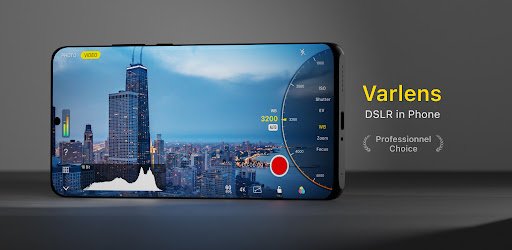
Smartphone cameras have improved dramatically over the last few years, but software is now just as important as camera hardware. Thanks to artificial intelligence (AI), modern camera apps can automatically improve lighting, colors, and details to produce professional-looking photos with very little effort.
Many Android users now prefer AI-powered HDR camera apps because they combine manual camera controls with intelligent editing features and aesthetic filters. Whether you’re taking selfies, landscapes, portraits, or night photos, these apps help you capture better images without needing expensive photography equipment.
In this guide, you’ll learn how AI HDR camera apps work, the features to look for, and how they can improve your mobile photography experience.
What Is an AI HDR Camera App?
An AI HDR camera app uses artificial intelligence to analyze your scene before and after you take a photo. Instead of relying only on your phone’s default camera settings, the app automatically adjusts brightness, contrast, colors, and sharpness to create a more balanced image.
HDR, or High Dynamic Range, helps preserve details in both bright and dark areas of a photo. AI improves this process by making smart adjustments in real time, producing images that look more natural and detailed.
Many modern camera apps also include AI filters, portrait enhancements, and manual controls for users who want more creative freedom.
Why AI Camera Apps Are Popular
AI-powered camera apps make mobile photography easier for beginners while still offering advanced tools for experienced photographers.
Some of the biggest benefits include:
- Better image quality with minimal effort
- Improved low-light photography
- More accurate colors
- Sharper details
- Automatic scene detection
- Faster editing and sharing
Instead of spending time editing each photo manually, AI performs many adjustments instantly.
Professional Camera Features You Should Look For
Not every camera app offers the same tools. If you’re looking for a professional photography experience, consider apps that include the following features.
Manual Camera Controls
Manual mode gives you greater control over how your photos are captured.
Useful controls include:
- ISO adjustment
- Shutter speed
- Manual focus
- White balance
- Exposure compensation
- Focus lock
These settings are especially useful for users who enjoy creative photography or want DSLR-like control on their smartphone.
HDR Photography
HDR combines multiple exposures into a single image, helping preserve details in bright skies and dark shadows.
A good HDR camera app should produce natural-looking photos instead of overly processed images.
AI Scene Detection
Many apps automatically recognize different scenes, including:
- Portraits
- Landscapes
- Food
- Pets
- Night scenes
- Documents
Once a scene is detected, the camera adjusts its settings automatically for better results.
AI Aesthetic Filters
Aesthetic filters have become extremely popular on social media because they create a consistent visual style.
Depending on the app, you may find filters such as:
- Vintage
- Cinematic
- Warm tones
- Cool tones
- Black and white
- Film-inspired looks
- Soft portrait effects
- Natural color enhancement
Unlike traditional filters, AI filters often adjust different parts of the image separately, resulting in a more balanced appearance.
Better Low-Light Photography
Night photography is one of the biggest challenges for smartphone cameras.
AI camera apps improve low-light photos by:
- Reducing image noise
- Recovering shadow details
- Increasing brightness naturally
- Improving sharpness
- Preserving realistic colors
These improvements help produce clearer photos without requiring additional lighting.
Portrait Photography Made Easier
Portrait mode has improved significantly with AI.
Modern camera apps can automatically:
- Detect faces
- Smooth skin naturally
- Enhance facial details
- Improve eye brightness
- Blur backgrounds accurately
- Adjust exposure for skin tones
The result is a more polished portrait while maintaining a natural appearance.
Landscape and Travel Photography
AI HDR technology is especially useful for outdoor photography.
When photographing landscapes, the app can balance:
- Bright skies
- Mountain details
- Trees
- Water reflections
- Shadows
- Sunlight
This creates images with greater depth and more realistic colors.
Travel photographers also benefit from AI because changing lighting conditions require fewer manual adjustments.
Built-In Photo Editing Tools
Many AI camera apps include editing features alongside the camera itself.
Common editing tools include:
- Brightness adjustment
- Contrast
- Saturation
- Sharpness
- Color correction
- Cropping
- Perspective correction
- Background blur
Some apps even use AI to remove unwanted objects or improve sky colors with a single tap.
Tips for Taking Better Photos
Even with AI assistance, following a few photography basics can improve your results.
Keep the Camera Steady
Holding your phone still reduces blur, especially in low-light conditions.
Use Natural Lighting
Whenever possible, shoot during daylight or near windows for softer, more balanced lighting.
Avoid Excessive Zoom
Digital zoom often reduces image quality. Moving closer to your subject usually produces sharper photos.
Clean Your Camera Lens
A dirty lens can make photos appear blurry or hazy.
Cleaning it regularly takes only a few seconds but can noticeably improve image quality.
Experiment with Manual Mode
If your app supports manual controls, try adjusting ISO or shutter speed to better understand how they affect your photos.
Are AI Camera Apps Better Than the Default Camera?
For many users, yes.
The default camera app works well for everyday photography, but AI camera apps often provide:
- More editing options
- Better HDR processing
- Additional filters
- Manual controls
- Advanced portrait features
- Enhanced night photography
The best choice depends on your photography style and how much control you want over your images.
Choosing the Right AI Camera App
When comparing camera apps, consider factors such as:
- User-friendly interface
- HDR quality
- Manual camera features
- AI editing capabilities
- Regular updates
- Device compatibility
- Export quality
- Privacy and permissions
Trying a few different apps is often the easiest way to find one that matches your preferences.
Frequently Asked Questions
What is HDR in photography?
HDR (High Dynamic Range) combines different exposure levels to preserve details in both bright and dark areas of a photo.
Do AI camera apps improve photo quality?
They can improve exposure, color balance, sharpness, and overall image appearance using intelligent processing techniques.
Can beginners use AI camera apps?
Yes. Most AI camera apps automatically optimize photos, making them suitable for users with little or no photography experience.
Are manual controls useful?
Manual controls allow experienced users to customize camera settings for more creative and precise photography.
Do AI filters permanently change photos?
Many apps use non-destructive editing, allowing you to modify or remove filters later if supported by the application.
Final Thoughts
AI HDR camera apps have transformed smartphone photography by making professional-looking images accessible to almost everyone. Whether you prefer automatic enhancements or full manual camera controls, these apps provide the flexibility to capture impressive photos in almost any environment.
Features such as HDR processing, AI scene detection, aesthetic filters, portrait improvements, and built-in editing tools help users create high-quality images directly from their Android devices. If you enjoy mobile photography, exploring an AI-powered camera app can help you get more from your smartphone camera while simplifying your editing workflow.
